
Skip to the content
MKWMP
PT

Race online. On your terms.

MKWMP is a reimplementation of the online servers of a racing game, with a launcher to match. The launcher sets the game up from your own copy, plays offline as soon as it's ready, and takes you online to community servers, with friends, voice chat and mods.

Latest v1.4.0Windows · Steam DeckFree and open source
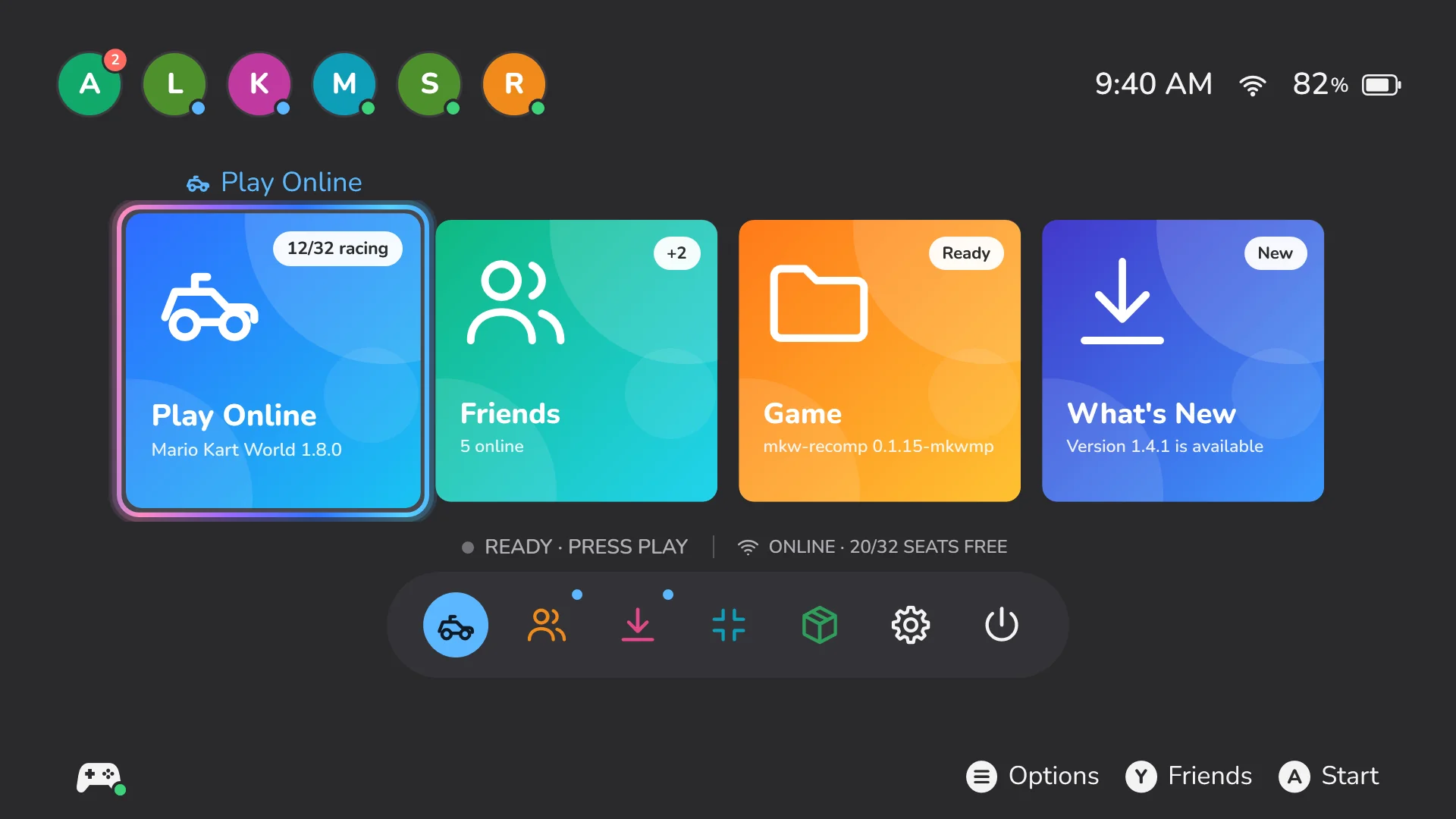
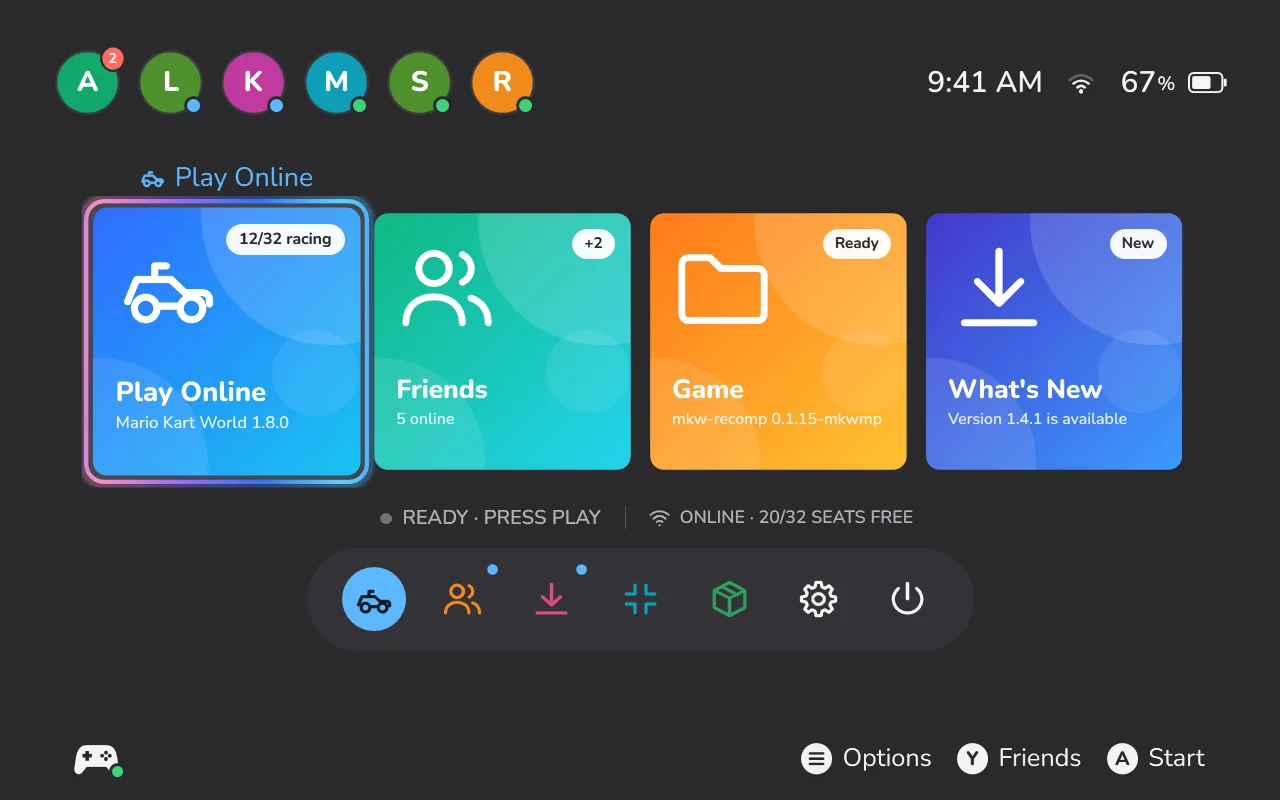
The MKWMP launcher's Home: Play Online, Friends, Game and What's New tiles, and the dock below.
PlayOffline first LiveServersNearest first FriendsVoice and camera ModsGameBanana built in Steam DeckOne command HostYour own server

Coming from 1.3?

1.4 is a new launcher (mkwmp.exe), and 1.3 can't update itself to it. Download 1.4 once, by hand, and unzip it into the same folder as your 1.3: it keeps your gamertag, PIN, server and choices. Then delete the old mkwmp-launcher.exe. On a Steam Deck, the command below does all of this.

Set up in one go

Point MKWMP at your own copy of the game, version 1.8.0, as a .nup, an .nx or a folder. It does the rest.
What the launcher does
Downloads mkw-recompmkw-recomp 0.1.17, the official release, checked against its known hash. On a CPU without AVX2 it picks the build made for it.
Uses your copyIt reads your copy where it is, or copies it, as you choose. Nothing of the game is downloaded.
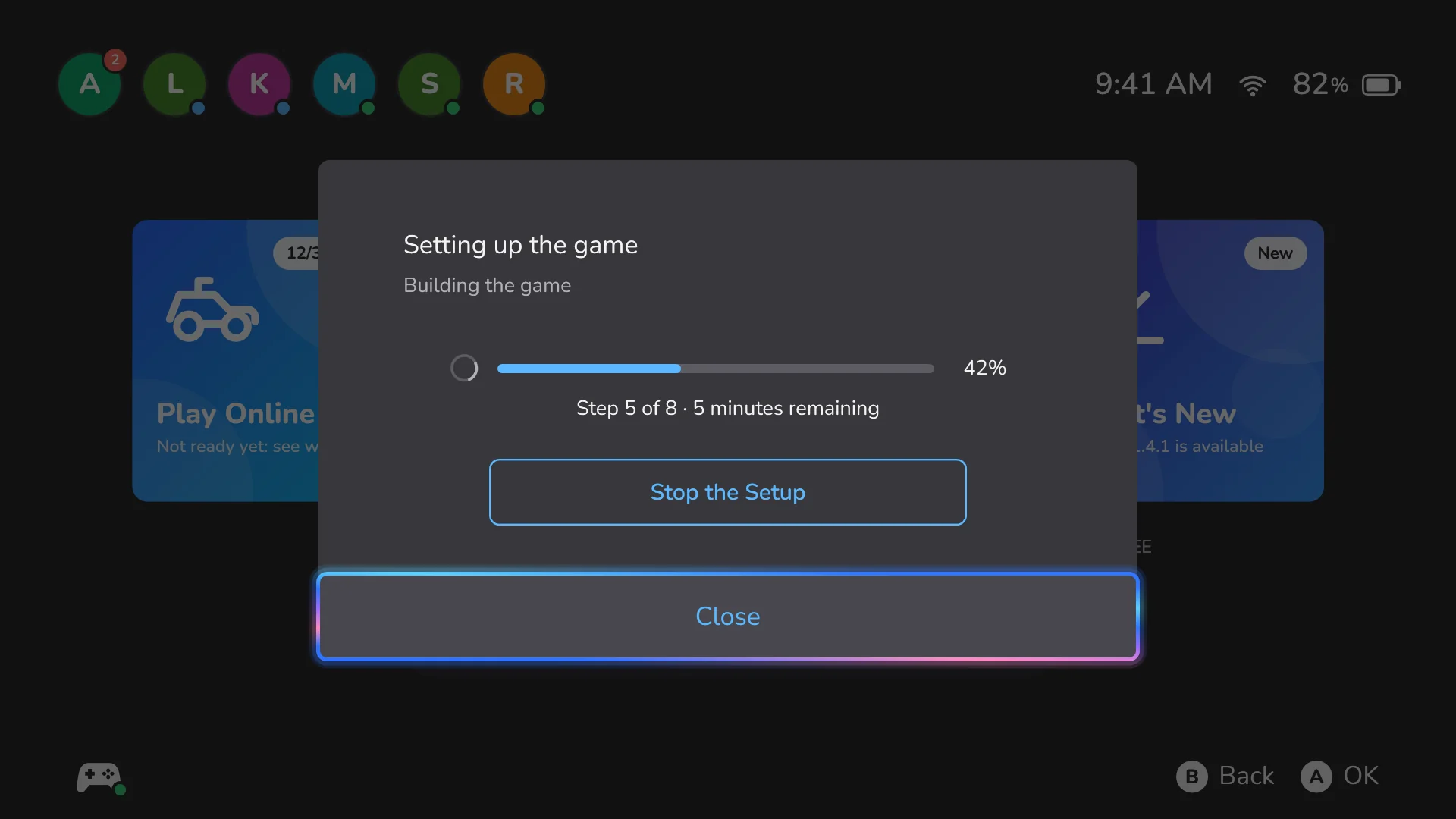
Builds the gamemkw-recomp's own setup: generate, compile (about 4 minutes), shaders (10 to 16 minutes on a Steam Deck), warm-up and clean-up.
Installs the MKWMP modOnline play, friends and the in-game overlay, inside the game.
Stays portableEverything lives next to the launcher, nothing in AppData. Settings › Game switches to another copy of the game later.
Thanks to mkw-recompmkw-recomp, a static recompilation of the game, is made by Adrià and released under the MIT License. MKWMP installs the official release and builds on it with permission of that license.
The game setup in progress: a progress bar, the current step and the time left.
The first setup takes a while. After that the game starts in seconds.

Offline first, online when you want

Once the game is set up, it's yours to play, with no account. Going online is one choice away: pick a server, register a gamertag, get a PIN.
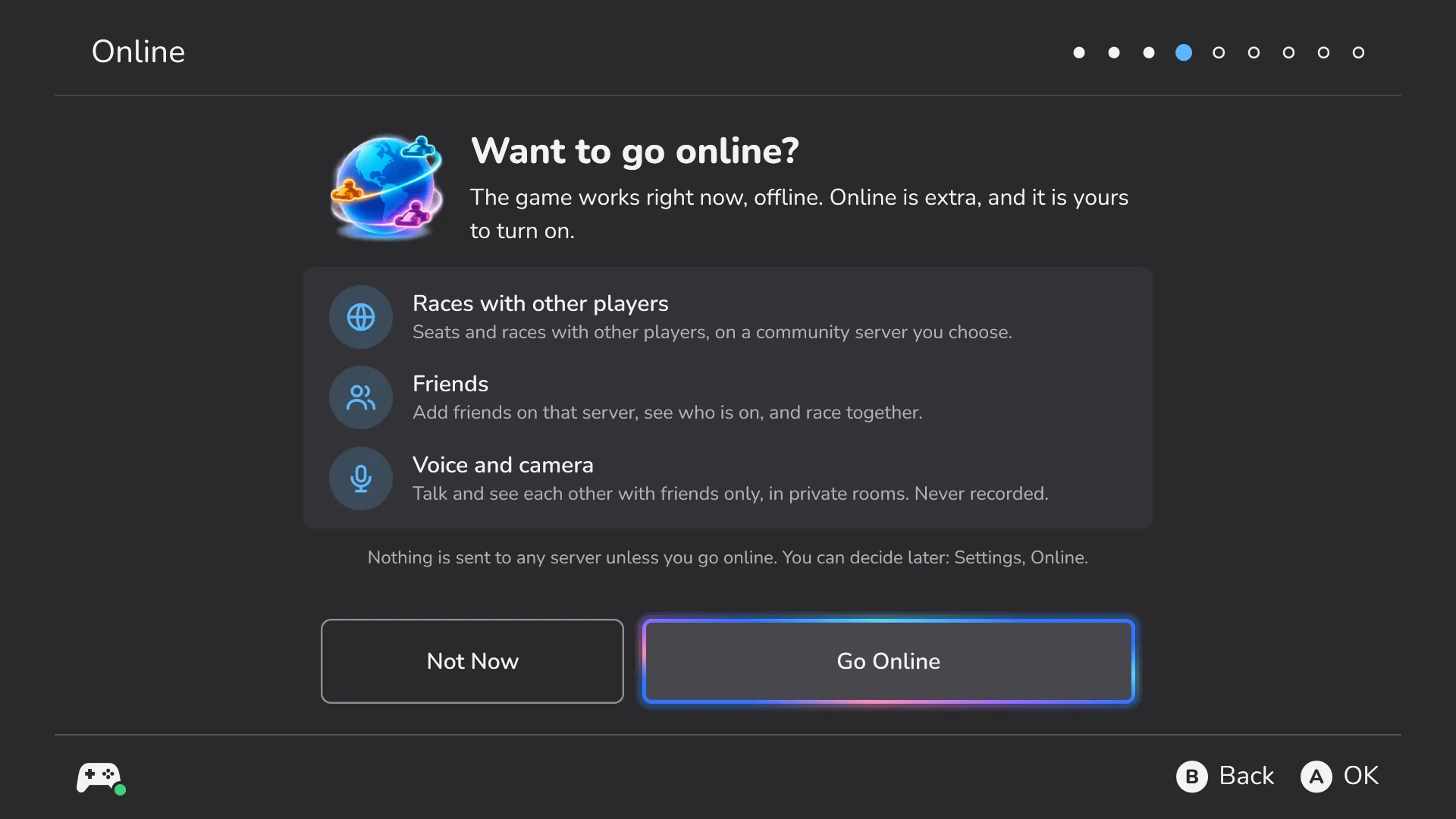
Play offlineNo server and no sign-up.
Go onlinePick a server from the list, or type the address a host gave you.
Your PINYour gamertag, friends and PIN live on the server you choose. The PIN signs you in on another PC or a Steam Deck.
Always up to dateThe launcher updates itself and the MKWMP mod. What's New shows what changed.
The launcher asking

Servers

Anyone can host a server. Public ones list themselves in the server directory, and the launcher shows them nearest first. This list is live.

Right now

Your browser can only time servers that use HTTPS; the launcher times every one. Lower is better: green under 80 ms, yellow under 160 ms.
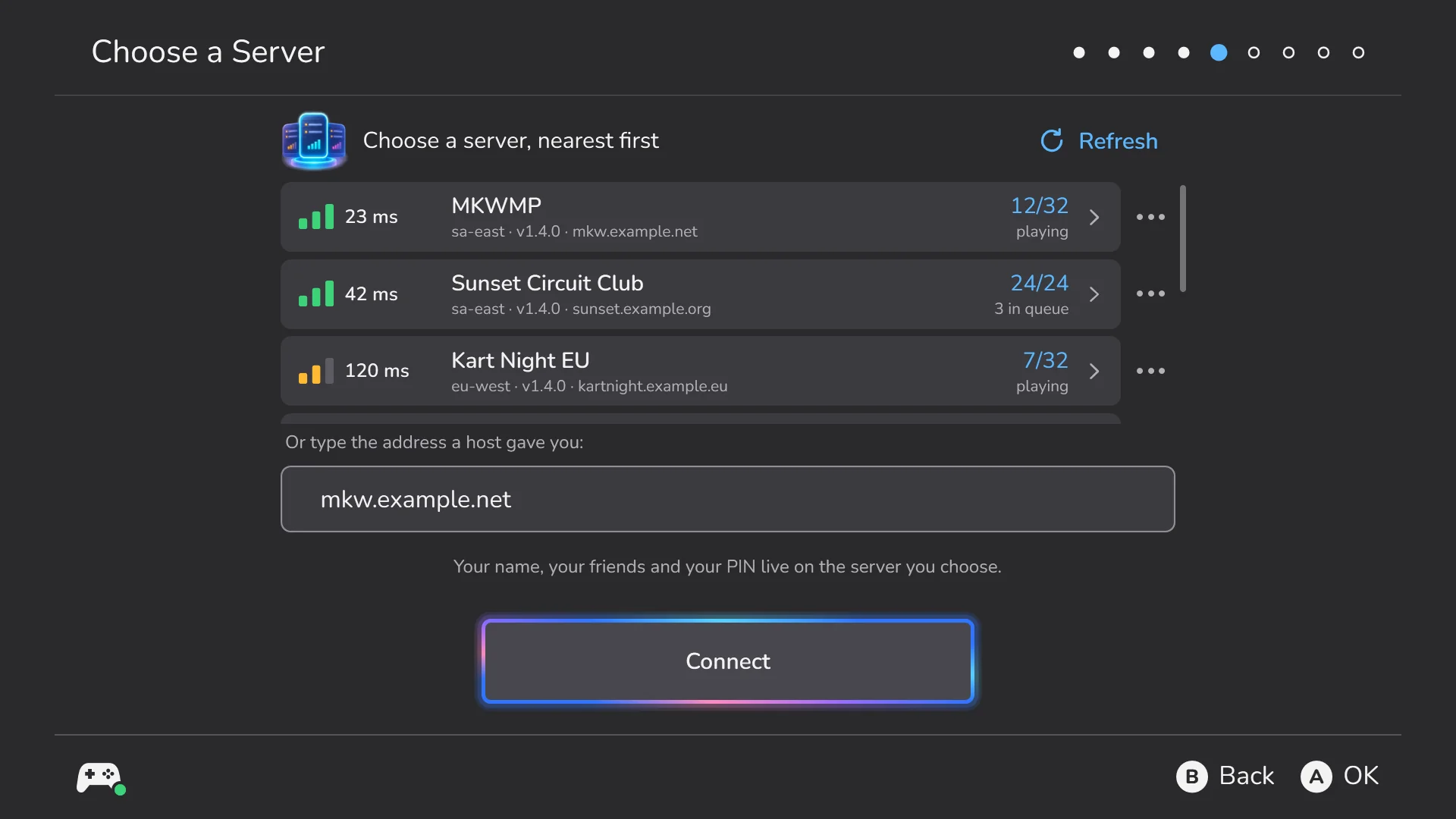
The launcher's Choose a Server screen: servers with latency bars, seats and queue.
The same list in the launcher, where every server is timed.

Friends, voice and camera

Add friends by gamertag and see who's playing. Voice chat and the camera work only in private friend rooms, never with strangers in matchmaking.
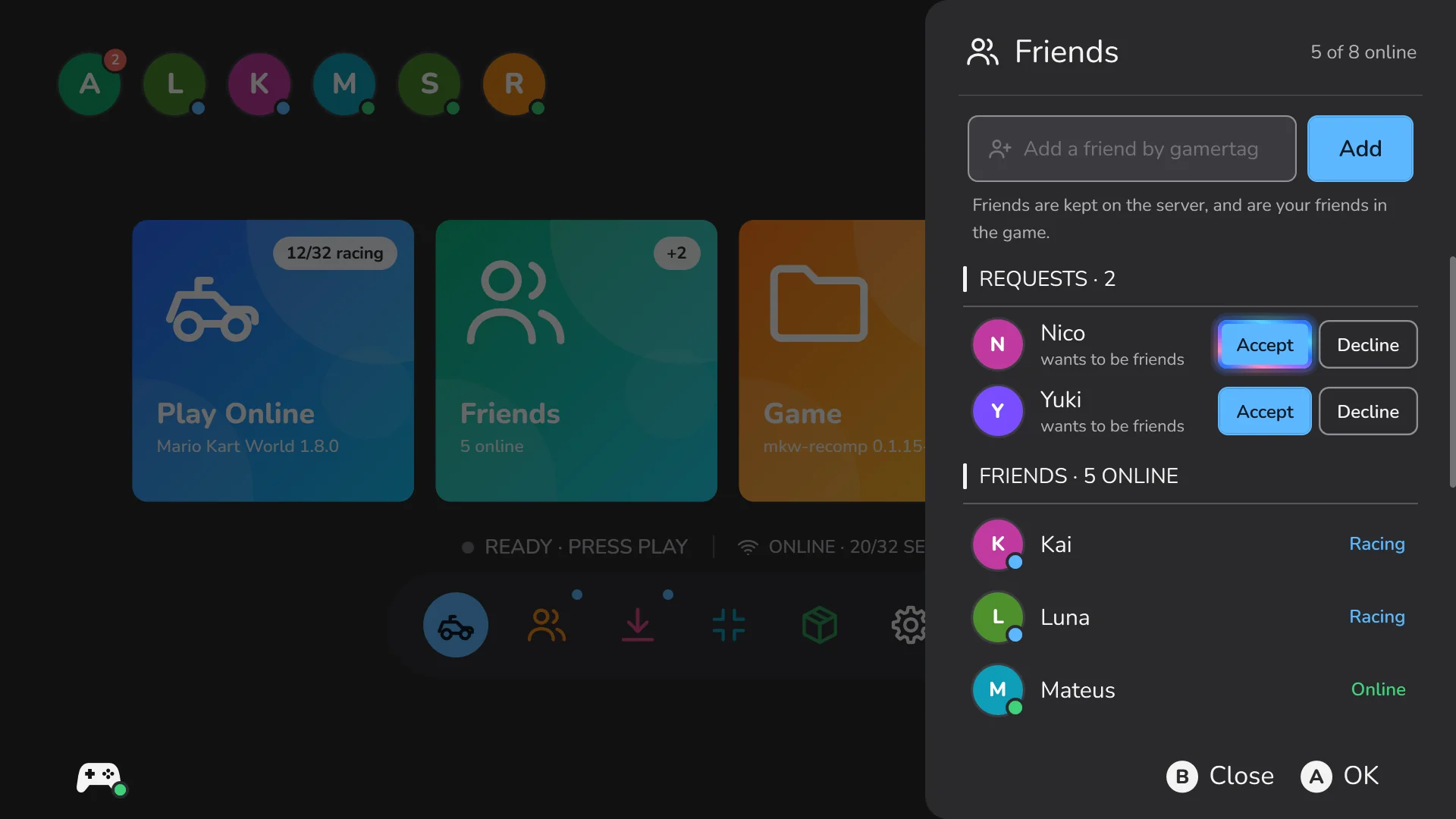
FriendsRequests, who's online and who's racing, and their rooms to join.
Voice chatIn friend rooms, for everyone in the room. Relayed live and never recorded.
CameraOff until you turn it on. Only mutual friends in your room see it, up to 4 faces each.
ReportsReport voice or camera abuse from the launcher. The server's host reviews it.
Home with the friends panel open: requests and friends with their status.

The in-game overlay

In the game, press Guide (Home) or Select + Start. The game pauses and shrinks into the launcher's Home, with your friends, settings and Quit game right there.

BBack to the raceB or Guide returns to the game where you left it.
Friends without leavingSee who's online and answer requests from the overlay.

The overlay needs mkw-recomp 0.1.17 with the MKWMP mod: the launcher sets up both.
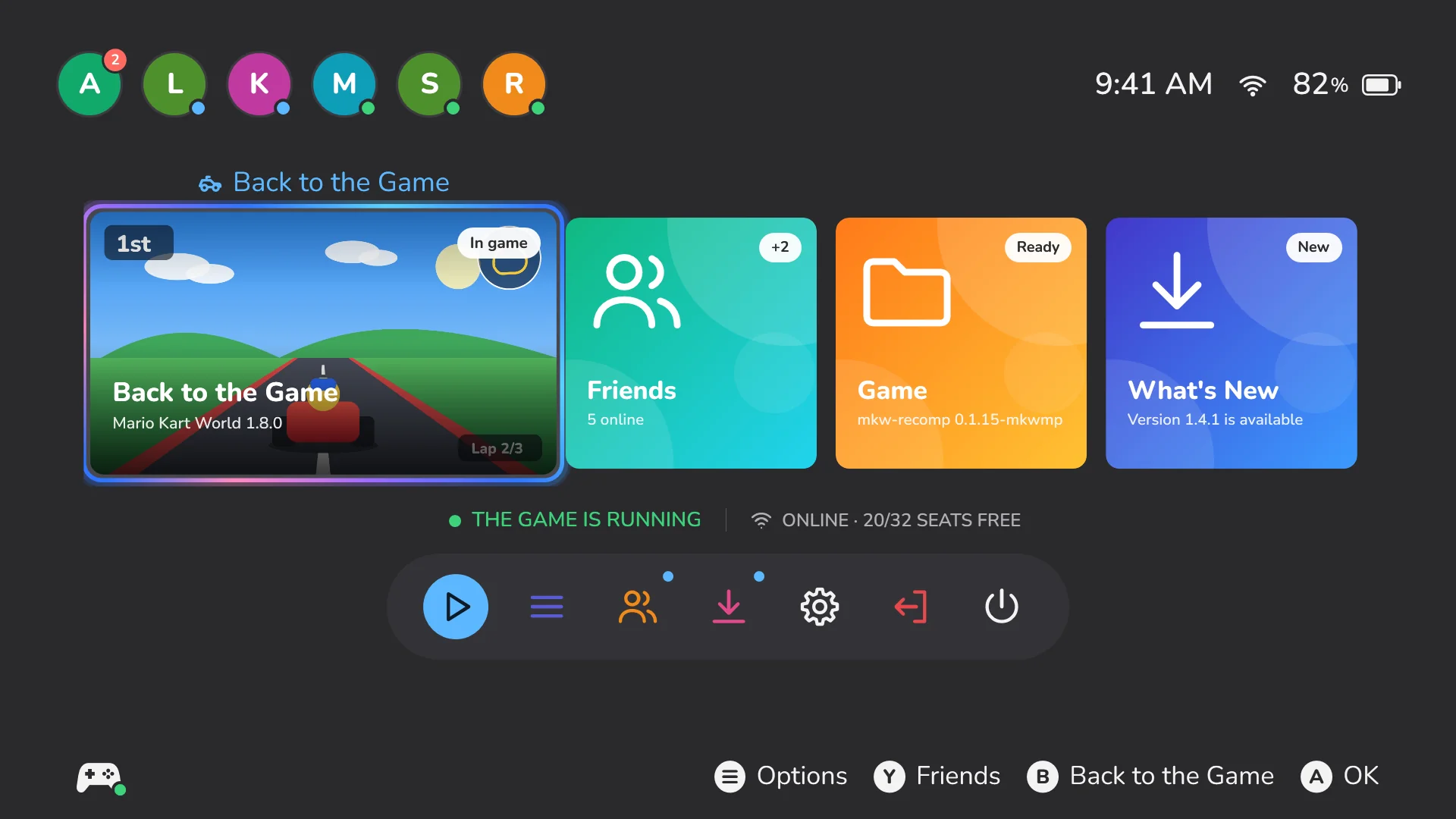
The overlay: the paused game shrunk into the Home screen's Play tile.

Mods

Browse GameBanana from the launcher, install with one button, and switch mods on and off.
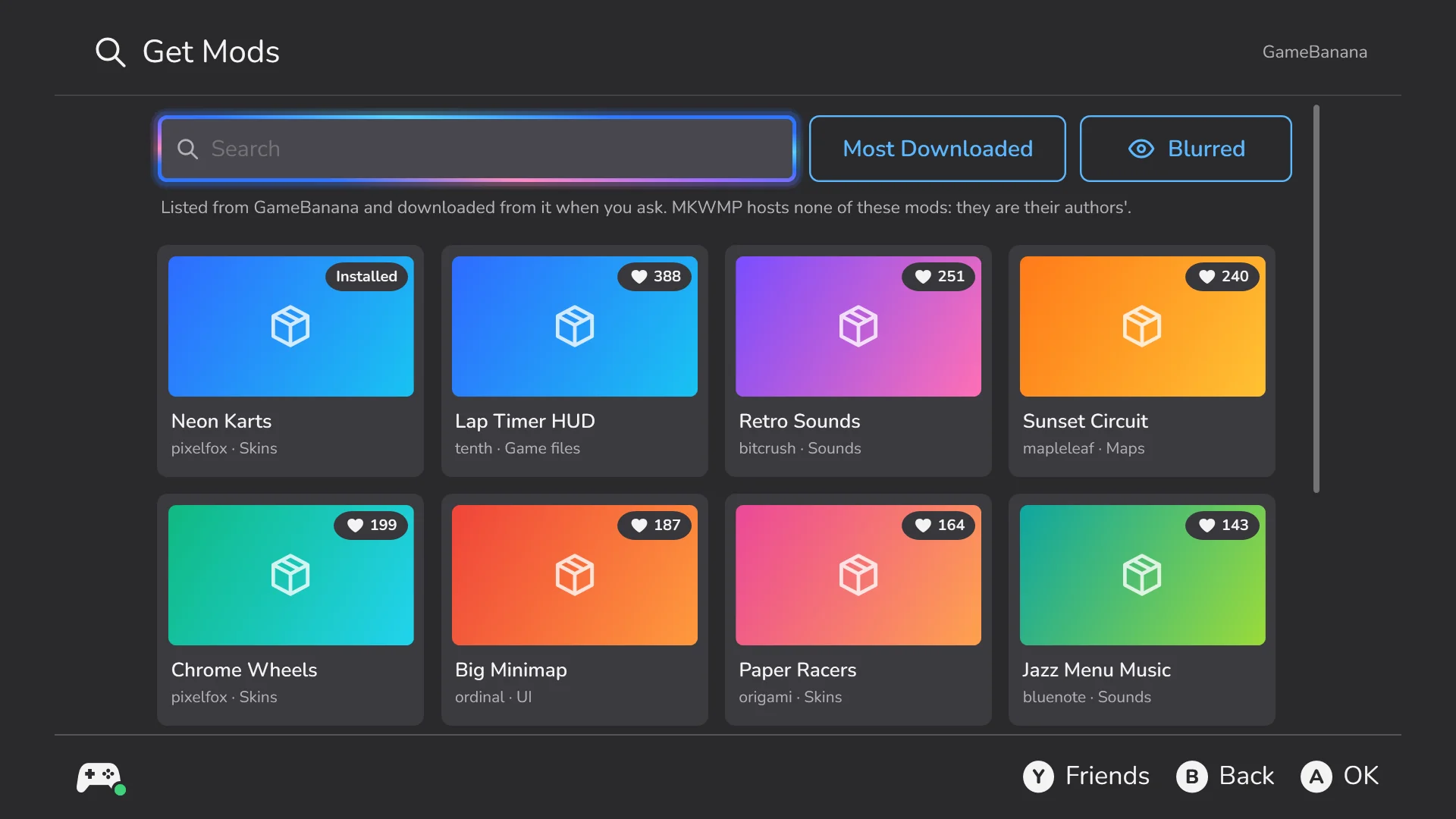
Get ModsSearch and sort GameBanana. Previews of mature mods stay blurred unless you choose otherwise.
From a link or a fileInstall a .zip, .7z or .rar from a link or from your disk.
OptionsMods that ship options get their own page in the launcher.
Safety firstMods that run their own code ask first. Mods that change the game's code stay on mkw-recomp's own Mods page. Every player's save is backed up before playing with a new set of mods.
Get Mods: a grid of GameBanana mods with search and sorting.

15 languages, light and dark

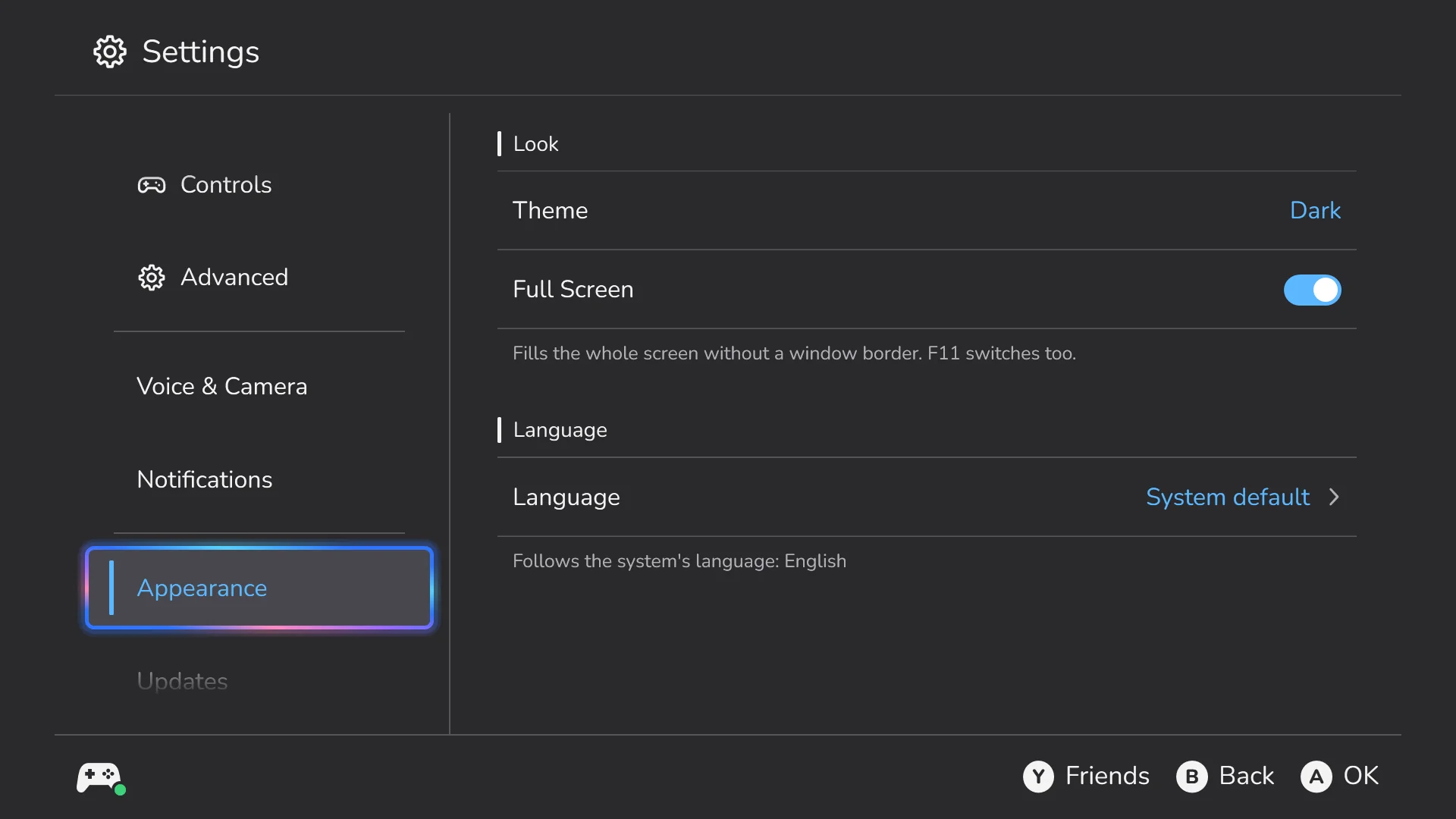
The launcher follows your system's language and theme, or the ones you pick.
EnglishPortuguês (Brasil)Português (Portugal) EspañolFrançaisDeutschItaliano NederlandsPolskiРусскийTürkçe 日本語한국어简体中文繁體中文
Made for the couch and the desk
Controller, keyboard or mouseEvery screen works with a controller, like a console menu, and with a keyboard or a mouse.
Light and darkThe same look in both. This site switches too (the button at the top, or Y on a controller).
Full screen or a windowOn a TV, a monitor or a Steam Deck.
Settings, Appearance: theme, full screen and language.

Steam Deck and SteamOS

One command in Desktop Mode (Konsole) installs MKWMP, adds it to Steam with artwork and the controller layout, and runs it under Proton.

Close Steam firstThe installer edits Steam's shortcuts, which needs Steam closed.
Where it goes~/Games/MKWMP, with a Steam shortcut called MKWMP that runs under Proton 11.
Coming from 1.3It brings over the 1.3 launcher's settings and removes the old MKWMP shortcuts.
Options--dir, --proton, --dry-run and --uninstall, among others. Add them after bash -s --.
The launcher's Home on a Steam Deck.
Home at the Steam Deck's 1280 × 800.

Host your own server

A small cloud VM, about US$5 a month, runs a server for dozens of players. One command installs it, opens the firewall and lists it in the server directory, so it shows up in everyone's launcher.

Ways to host
A cloud VMVultr, Ubuntu 24.04, one command. Optional HTTPS with your domain. Your own PCserver.exe from the server download, double-click: for friends or a LAN party. Docker, or by handThe full hosting guide on GitHub.

Privacy

Each server has its own privacy policy. The launcher shows it after you sign in, and the server records which version you accepted. When the policy changes, you're asked again.

For people 18 or olderThe launcher asks before it signs you in or plays online.
What a server keepsYour gamertag, a hash of your PIN (never the PIN), your friends, the policy you accepted and the reports you file. No email and no real name.
Voice and camera aren't recordedThey're relayed live inside friend rooms, never stored.
Delete your accountFrom the launcher, at any time.

Shown live from mkw.anarqz.dev/privacy. Other servers have their own.
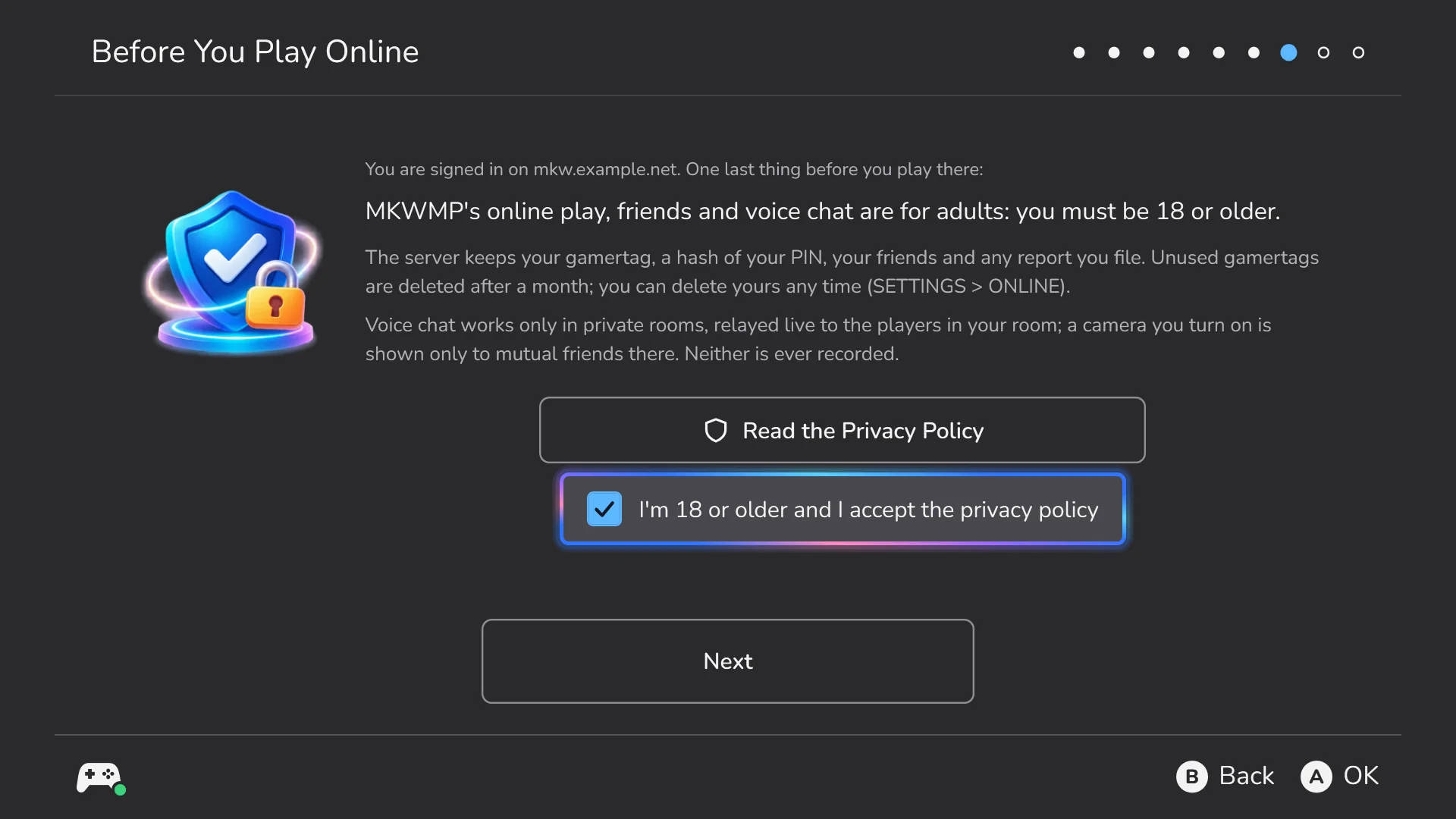
Before you play online: the 18+ confirmation and the server's privacy policy.

Questions

Who makes MKWMP?
A community: MKWMP is an independent, open-source project. Its servers are run by their hosts, and anyone can host one.
Do I need the game?
Yes: your own copy of the game, version 1.8.0. MKWMP never downloads the game; it builds mkw-recomp from your copy.
Does it run on Linux?
On the Steam Deck and SteamOS, through Proton: use the command above. Other Linux desktops with Steam and Proton work the same way.
Is it free?
Yes. MKWMP is open source (GPL-3.0). Servers are run by their hosts; the official one is free to play on.
I'm on 1.3. How do I update?
Download 1.4 by hand once and unzip it into your 1.3 folder: 1.3 can't update itself to the new launcher. Your gamertag, PIN and server carry over. Then delete the old mkwmp-launcher.exe. On a Steam Deck, run the install command: it brings your 1.3 settings over.
The game crashed. Where do I report it?
The launcher shows a crash report after a crash: it saves a zip on your Desktop (no PIN or keys in it) and opens a new GitHub issue with the details filled in. "Found a bug?" in the launcher does the same any time.